Product Update – November 2025
This month’s small but mighty update brings a revamped image preview, a more intuitive Mediabank workflow, and several quality-of-life fixes across Clipsource. Here’s what’s new.
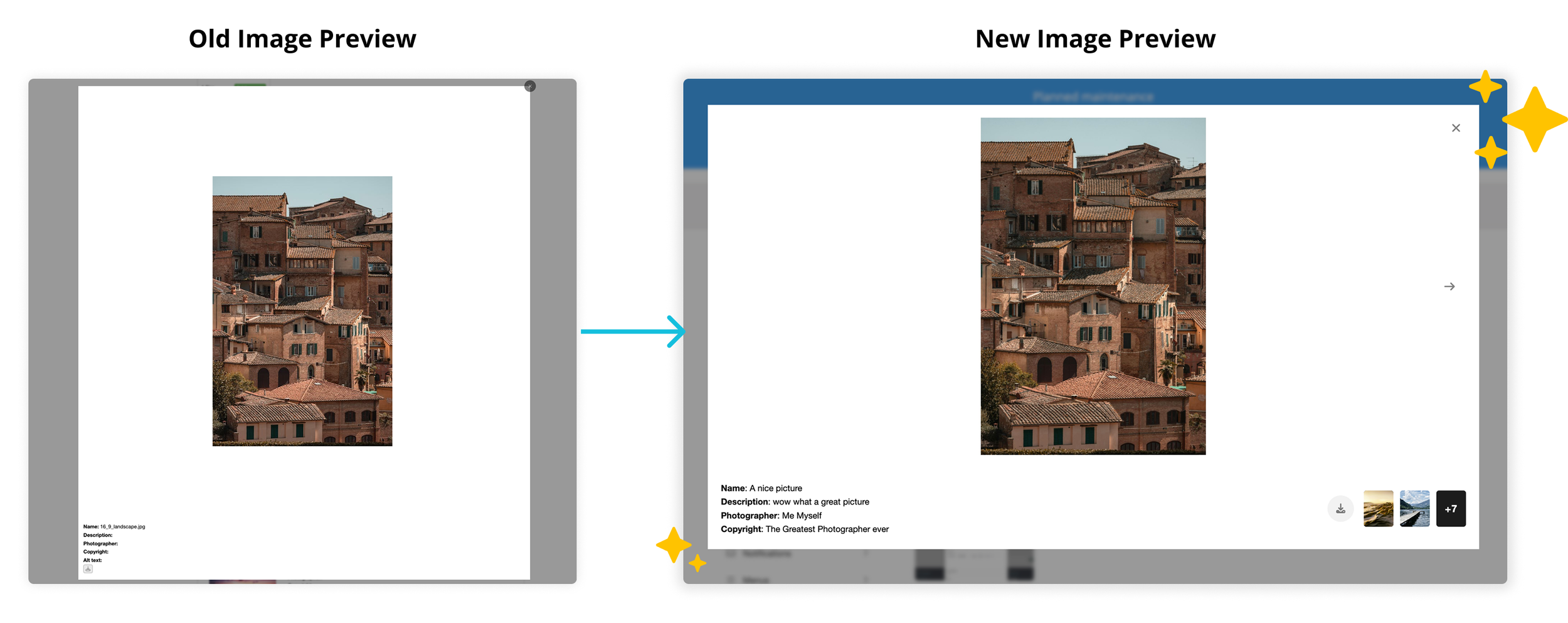
Update: New Image Preview (Fancybox replaced)
We’ve rolled out a completely rebuilt image viewer across the platform: admin, Portal, Pressweb, and Page Builder.
Faster, smoother image loading thanks to improved thumbnail handling
Refreshed design with cleaner spacing and modern UI
A clear Download button in the bottom-right corner
Tooltips and a built-in close button for a more intuitive experience
Support for browsing multiple images directly in the modal
The new modal creates a more consistent, reliable experience wherever images appear.
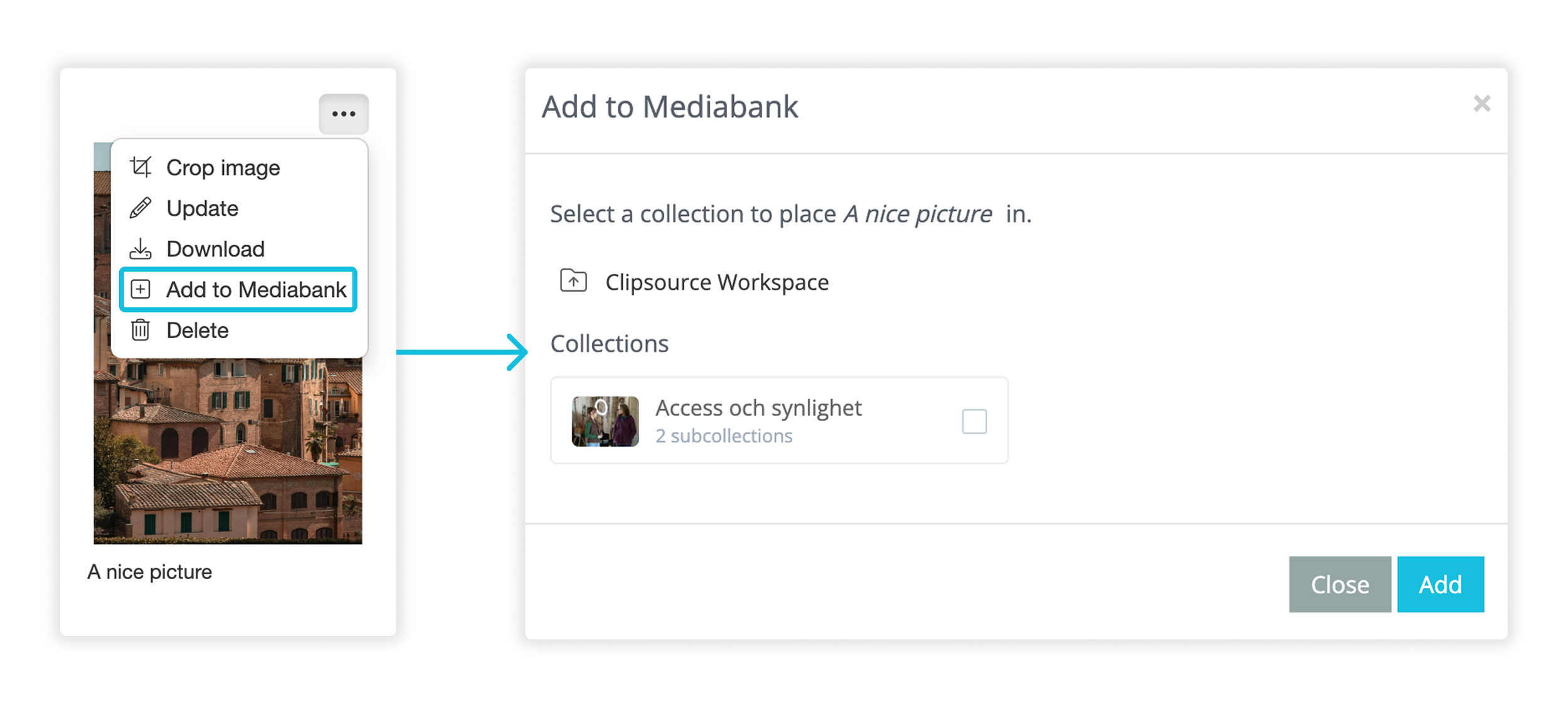
New: Improved “Push to Mediabank” Flow
We’ve redesigned how you push content into Mediabank to make the process easier and more intuitive.
Uses the same clean, modern design as “Pull from Mediabank”
Shows all available workspaces at a glance
Displays how many collections each workspace contains
Lets you add files to an existing collection (or create a new one) right in the modal
Works everywhere across the platform: Program Catalog, Media Center, Page Builder, and more
Images, videos, and audio files are now much easier to organize inside Mediabank.
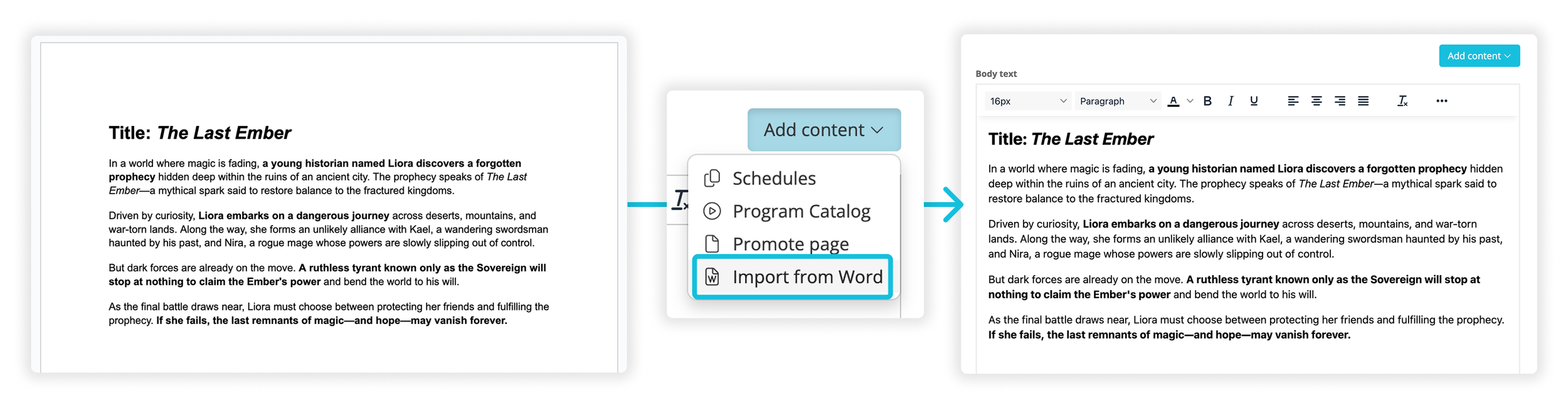
Fix: Bold Text from Word Import Renders Correctly
A long-standing formatting issue has now been resolved.
Bold text from Word documents now appears correctly in previews and published posts
Previously, bold only displayed correctly inside the editor
Other formatting such as italics, lists, and headings continues to work as expected
A small but meaningful fix for content creators who import material from Word.
Other Fixes & Updates
Terms & Conditions shown for all contact flows: Customer Terms & Conditions are now included in all contact creation flows for both in Admin and during distribution.
Video Player Spinner on iOS: the player loaded correctly but displayed a spinner instead of the play button. Now, the proper play icon now appears. It applies to both Portal and Pressweb.
Removed unintended auto-formatting in all text editors that turned characters like dashes or # into bullets or bold text.
That’s all folks!
Got questions? We got your back over at support@clipsource.com